

Work with AI
Studio has a small team of AI agents that help you model. You can ask them to change the board, explain how a part of it works, suggest the next slice, or talk a flow through with you out loud. This section shows how.

What AI does in Studio
Section titled “What AI does in Studio”- Changes the board when you ask. “Add an event called Author Registered” is an instruction, and Studio makes the change.
- Explains. An agent can tell you how a domain, an event model, a module or a feature works.
- Generates. An agent can draft a project, a domain, an event model, a feature or a slice from a description.
- Suggests. Studio proposes slices, features or modules that fit what is already on the board.
- Talks with you. You can type, dictate a line, or hold a spoken conversation with an agent.
Every organization starts with a team of named agents: Atlas models, Merlin writes code, Quill writes documentation, Sherlock reviews, Echo carries the conversation, Hunch suggests what to model next, and Iris designs screens. Your organization can change them in Agents and skills.
What it never does without you
Section titled “What it never does without you”- Large or destructive changes are never made from speech alone. Studio asks first, and you confirm by selecting Yes or typing yes.
- A thought is not an instruction. When you say “Maybe we need something for cancellations”, Studio offers to do it and waits for your answer.
- A suggestion is only a suggestion. It is added only when you add it, and you can preview it first.
- Everything is reported. Every change made from the chat bar shows up in the board’s chat with the line that caused it.
You choose the AI provider
Section titled “You choose the AI provider”Studio does not come with a language model. Your organization connects its own AI provider with its own API key, and gives each agent a provider and a model. Until an agent is set up, the AI features stay switched off, and Studio says so.
That choice is also a statement about your data. What an agent needs to do your request, such as your instruction and the part of the model it concerns, goes to the provider your organization chose, under the terms your organization has with that provider. Each guide in this section says what that means for the feature it describes. Keys are stored encrypted and are never shown again after they are saved.
Setting up providers and agents is a maintainer’s job. See Your organization.
The on and off switches
Section titled “The on and off switches”AI can be switched off at several levels, so a team can use as much of it as it wants.
| Where | What it controls |
|---|---|
| Organization | Which AI providers are connected, which provider and model each agent uses, and whether Conversation mode is allowed. |
| Project | Run autonomously. |
| Application | Enable AI, which is off until someone turns it on, and Predictive modeling. |
Members who are not maintainers cannot turn AI on. When AI is not set up, Studio tells them to ask a maintainer.
What you can do here
Section titled “What you can do here”Hand a slice to an outside assistant
Section titled “Hand a slice to an outside assistant”If you use a coding assistant outside Studio, give it the slice instead of retyping it. Open a slice’s menu, choose Context for an agent, and copy the slice as Markdown or download it.
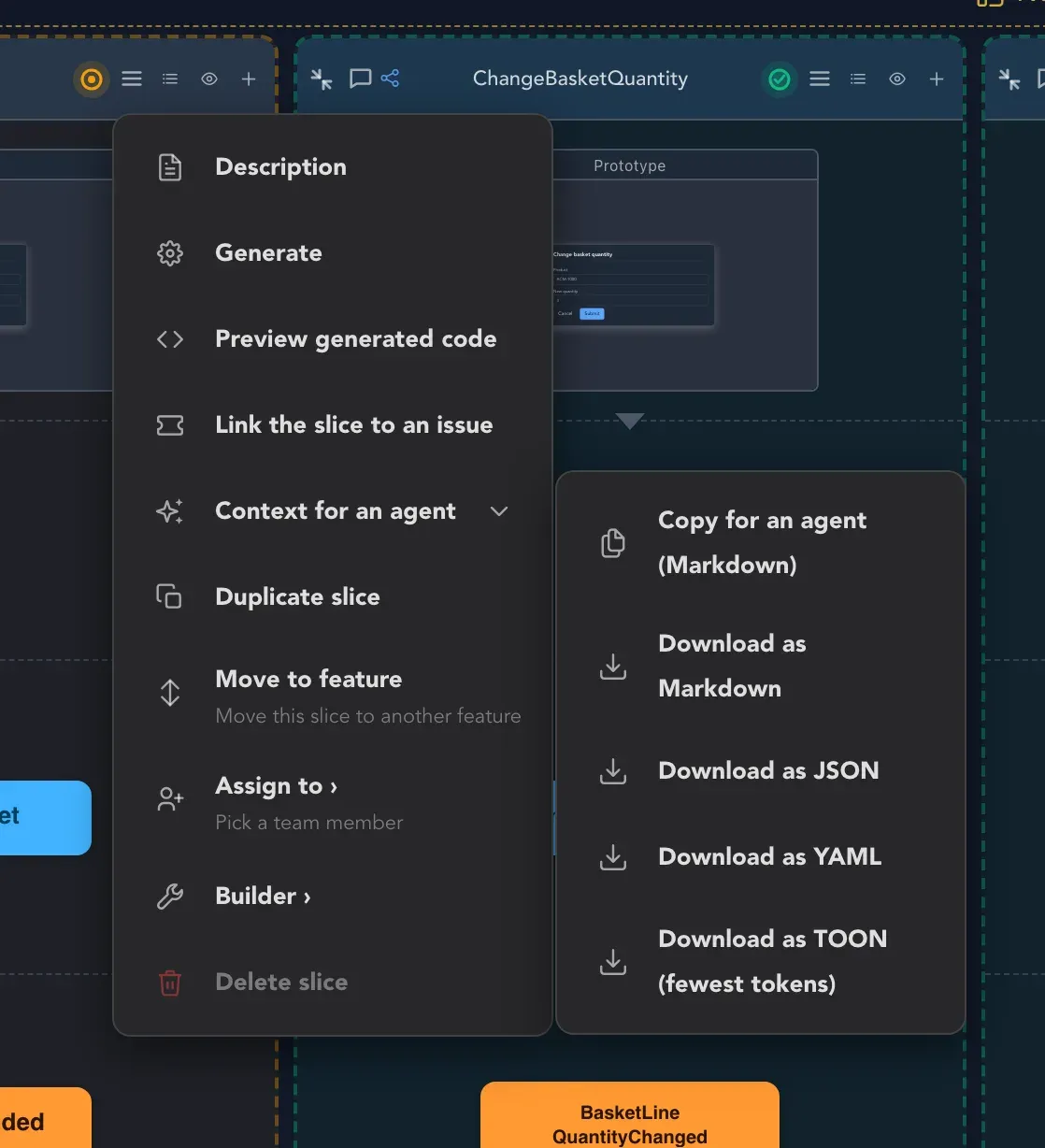
More about this is in the context for an agent.