

Organization settings at a glance
Everything your team shares in Cratis Studio is set up once, for the whole organization: who belongs to it, which AI services its agents use, which tools it connects. This section is for the people who look after that: team admins and maintainers.
Open the settings
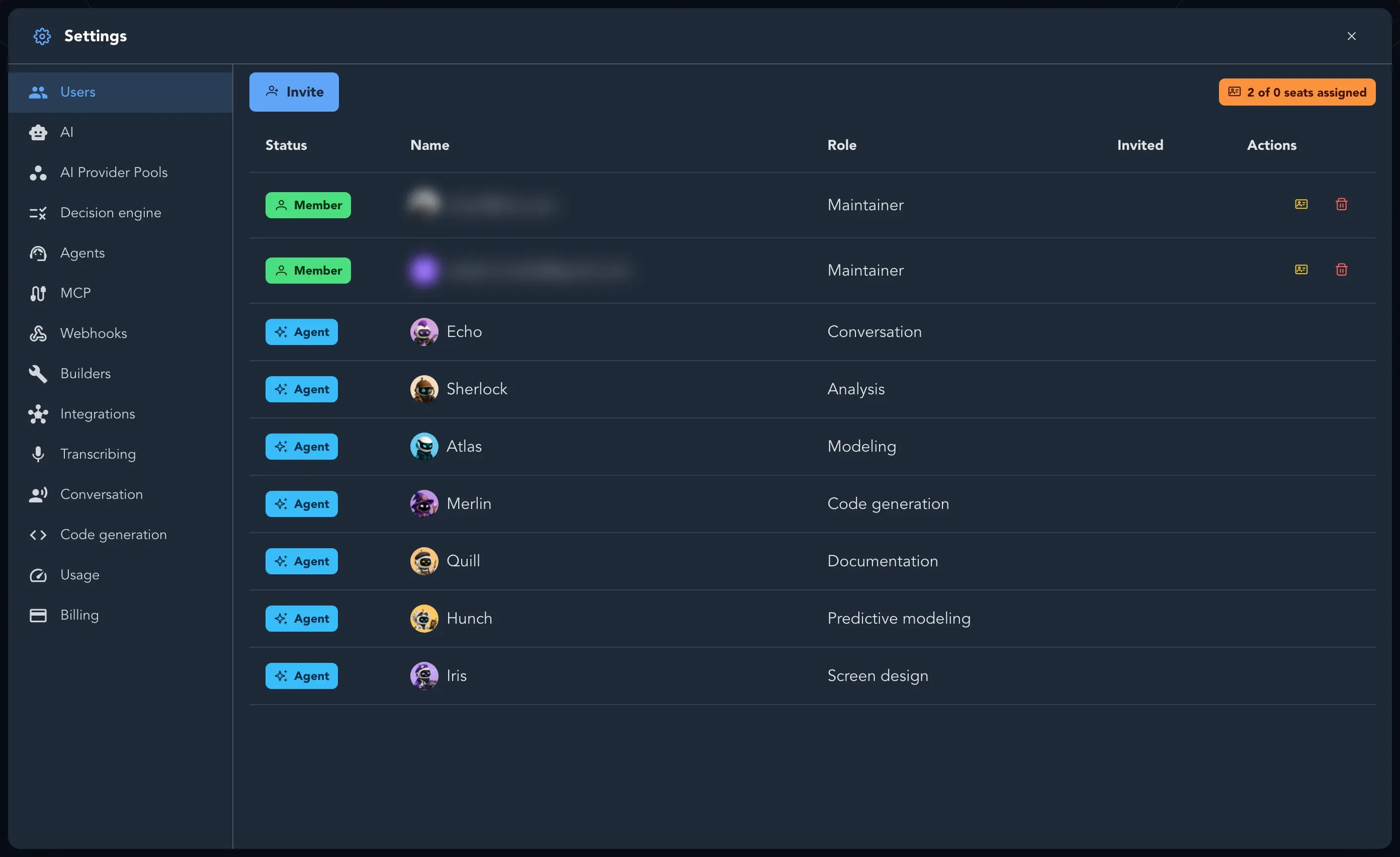
Section titled “Open the settings”Open the Account menu and select Organization settings. A full-screen Settings panel opens. Its pages, from top to bottom:
| Page | What it is for | Guide |
|---|---|---|
| Users | Members, invitations, roles and seats | Invite people, Roles and permissions, Seats |
| AI | The AI providers your organization brings | Set up AI |
| AI Provider Pools | Groups of providers that share work | Set up AI |
| Decision engine | How Studio weighs routine choices | Set up AI |
| Agents | The model, voice and skills of each agent | Agents and skills |
| MCP | Letting an AI agent reach the organization | Issue an MCP credential |
| Webhooks | Telling other systems about board changes | Set up webhooks |
| Builders | The machines that turn slices into code | Approve builders |
| Integrations | GitHub, Jira, Linear, GitLab, Azure DevOps and Miro | Connect integrations |
| Transcribing | Tidying dictated text | Conversation and dictation settings |
| Conversation | Whether members may talk to agents hands-free | Conversation and dictation settings |
| Code generation | The copyright header on generated files | Conversation and dictation settings |
| Usage | What the work Studio did for you used | See what your organization uses |
| Billing | Seats, subscription and invoices | Billing and your subscription |
Everyone in the organization can open the settings, but only a maintainer can change them. Pages say so when you are not one.
What would you like to do?
Section titled “What would you like to do?” Invite people Add a colleague and give them a role and a seat.
Set up AI Bring your own AI provider so the agents can work.
Buy seats Choose a plan, pay, and change it later.
Connect your tools GitHub, Jira, Linear, GitLab, Azure DevOps and Miro.
Configure agents and skills Choose the model and voice of each agent.
Set up webhooks Tell other systems when a board changes.
Project and application settings Repository, reviewers, AI and publishing for one project or application.
Approve builders and issue an MCP credential Let machines and agents work with your organization.