

Connect integrations
Studio works with the services your team already uses: where your code lives, where issues go and the modeling tools you draw in. You connect each one once for the organization. Projects then choose from what is connected; nobody connects them project by project.
You need to be a maintainer. Open Organization settings and select Integrations.
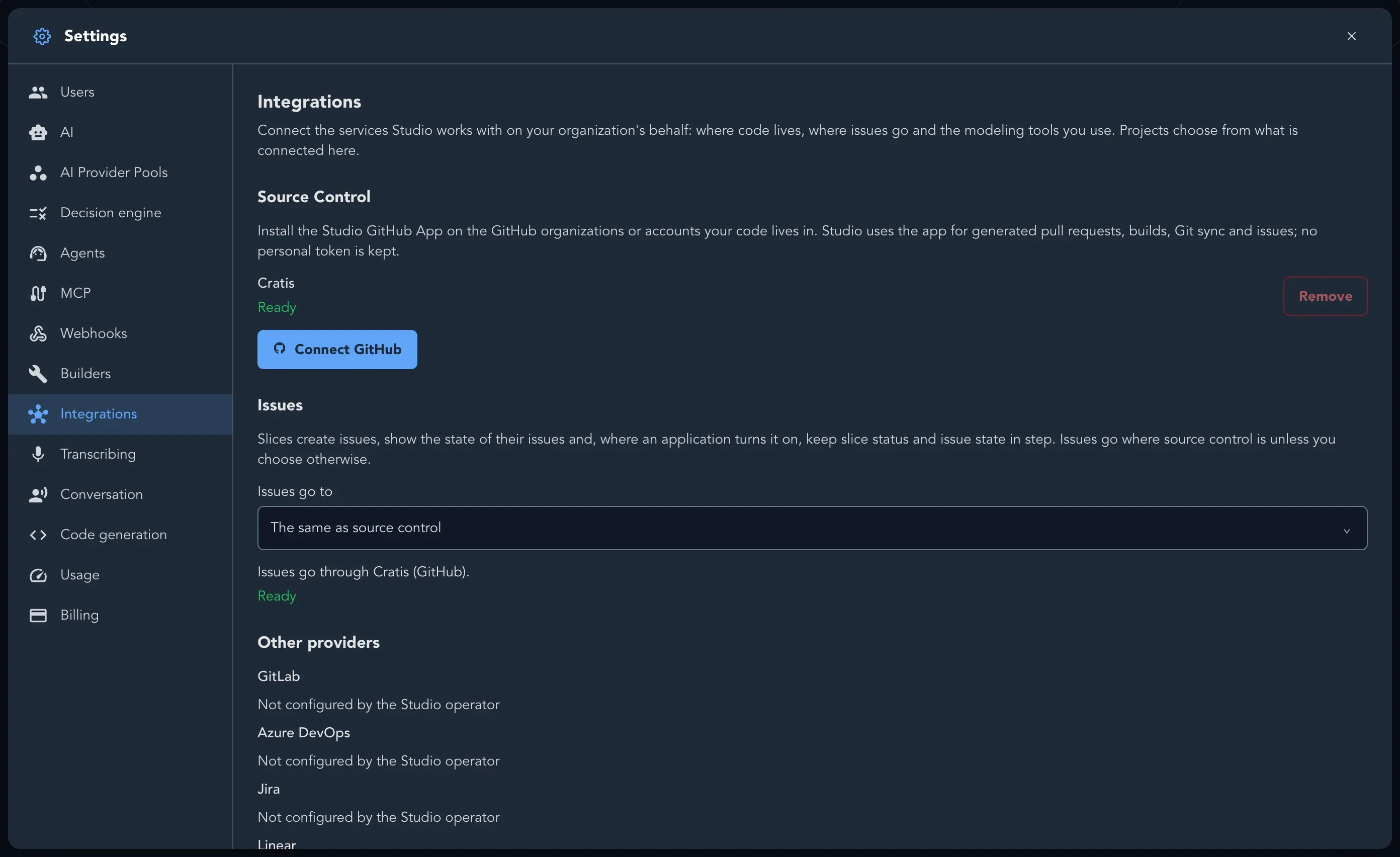
The page has these sections:
| Section | What it holds |
|---|---|
| Source Control | The GitHub installations of your organization and which one projects use by default |
| Issues | Where the issues Studio creates for slices go |
| Other providers | Jira, Linear, GitLab and Azure DevOps |
| Modeling tools | Miro |
Choose where issues go
Section titled “Choose where issues go”Under Issues, pick where slice issues are created with Issues go to. The default is The same as source control. You can choose another GitHub installation, a Jira site, a Linear workspace, a GitLab project’s connection or an Azure DevOps one. When you have never chosen, the first Jira site or Linear workspace you connect becomes the place issues go.
Slices create issues, show the state of their issues and can keep their status and the issue’s in step. How to link and create them is in Link slices to issues.
Remove a connection
Section titled “Remove a connection”Select Remove on an installation, site or workspace. If it is chosen for source control or issues, Studio says Choose somewhere else for issues first (or Choose another installation for source control or issues first). Removing it does not uninstall Studio’s app from the other service. Repositories projects already use keep working, and issues already linked stay linked. To take the app’s access away, remove it in GitHub, Jira, Linear or wherever you installed it.
Connections made with a token earlier
Section titled “Connections made with a token earlier”Issue trackers connected with a token before these integrations existed are listed under Connected with a token (legacy) with the note Legacy - reconnect through the app. They keep working until you disconnect them, and once a Jira site or Linear workspace is connected through the app, Studio uses the app. Nothing new can be connected with a token.
What projects do next
Section titled “What projects do next”A project chooses its repository on Project Settings > Source control from the installations you connected, and its issue destination under Issues. See Project and application settings.