

Check behavior
Check behavior
Know the model works before anything is built
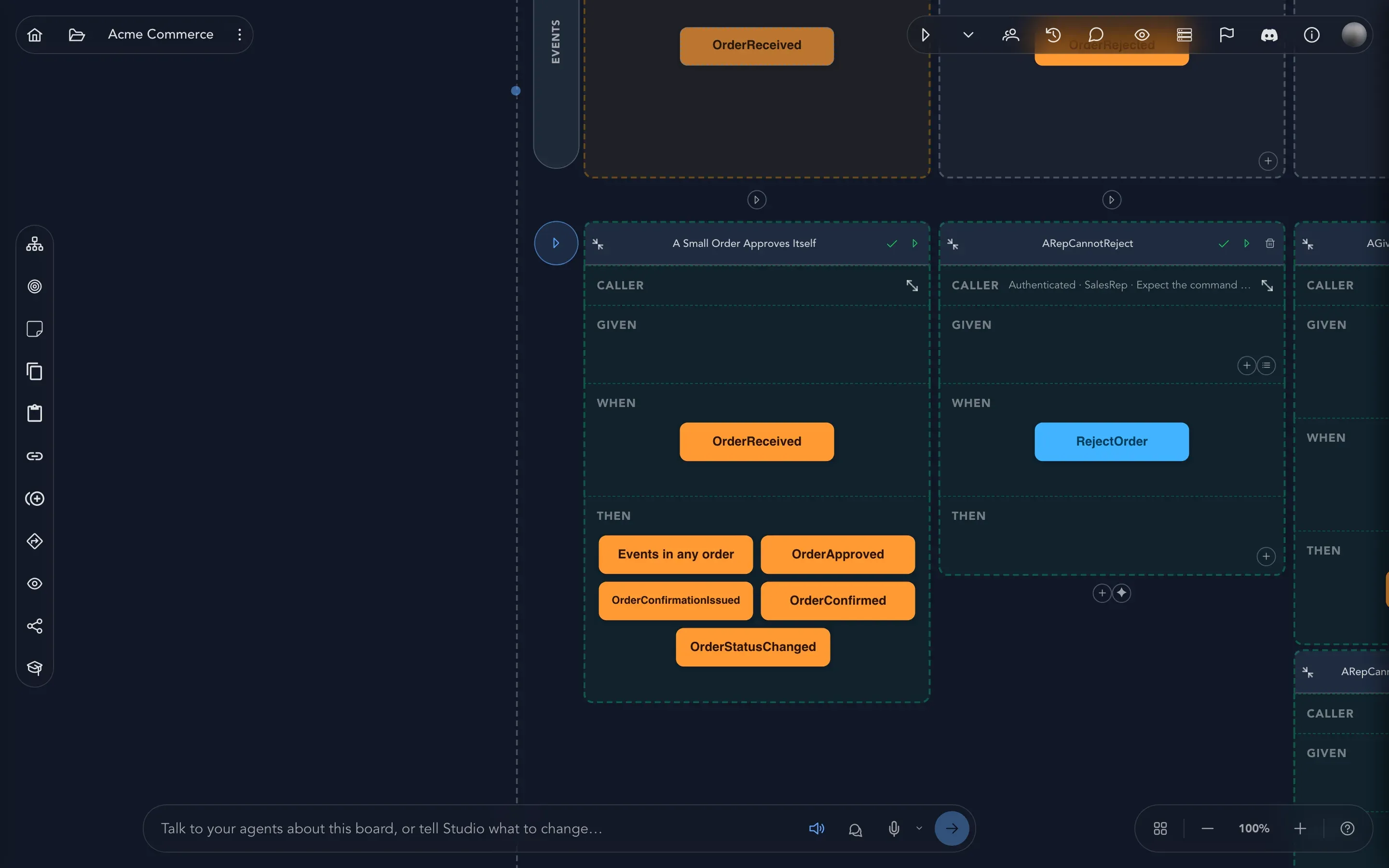
A drawing that nobody can check is only a drawing. Studio lets you check a model two ways: small examples on each slice, and the whole model running as an application.
Both ways use the model you already drew, so there is nothing to set up. A specification is one example, written as what has already happened, what is done, and what must follow. Play starts the model as a working application that you can click through. Use specifications to pin down the rules, and Play to see how the whole thing feels.
What you can do here
Section titled “What you can do here” Write specifications Describe a slice's behavior as Given, When, Then examples, and run them.
Generate specifications with AI Let an agent draft the first scenarios from what the slice already says.
Play your model Run the model as an application, try a command and look at what it produced.
Where to go next
Section titled “Where to go next”- Specifications and Play explains why the examples read the way they do, with the Acme Commerce shop as the example.
- Check the model finds gaps on the board itself, before you write any example.
- Generate code turns a checked model into an application.