

Approve builders
A builder turns modeled slices into code, on any machine that can reach Studio. A builder registers itself, shows a code on its own machine, and builds nothing until a maintainer approves it in Studio with that code. This page is for the maintainer who approves it.
Before you start
Section titled “Before you start”- You are a maintainer. Other members see Only organization maintainers can see and approve builders.
- You, or a developer on your team, started the builder. How to run one is in Connect a builder and approve it.
Approve a builder
Section titled “Approve a builder”-
Open Organization settings and select Builders.
-
Select Connect a builder for the command to run on the machine that should build. Copy copies it. Run it there.
-
The builder shows a code on its own machine. Back in Studio, find the builder in the list, marked Waiting for approval, with where it was asked from and on which machine.
-
Select Approve and type the code. You have 15 minutes.
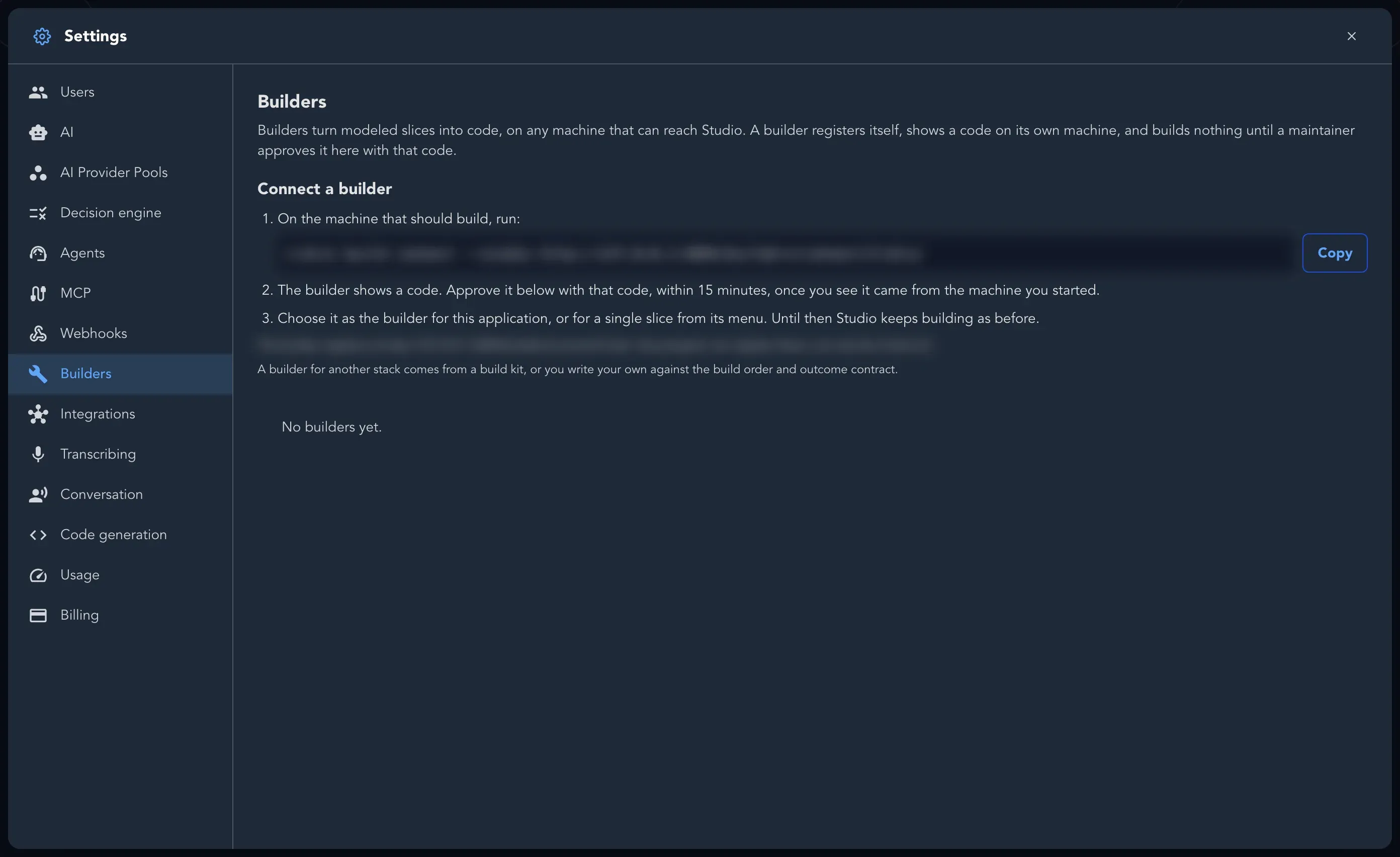
Choose it
Section titled “Choose it”Approving does not change who builds. Choose the builder for an application on Application Settings > Building, or for a single slice from its menu. Until then Studio keeps building as before. See Project and application settings.
Follow what builders are doing
Section titled “Follow what builders are doing”Each builder shows whether it is Online or Offline, when it was Last seen, and what it is doing: Idle, Building a slice, or removing what it built. A builder that speaks an older protocol shows This builder speaks an older protocol. Upgrade it. Other states are Registration expired, Declined and Not connected yet.
You can Rename a builder. Under Repository you decide whether it follows each application’s choice, or is always Studio-managed or builder-managed.
Remove a builder
Section titled “Remove a builder”Select Remove. Its credential is refused from its next call. A slice it was building is offered again once its lease runs out.