

Share and export
Share and export
Put the model in front of the people who need it
Not everyone who needs to see a model has an account, or wants one. Studio gives you a link to look at, files to keep, and a board to draw on Miro.
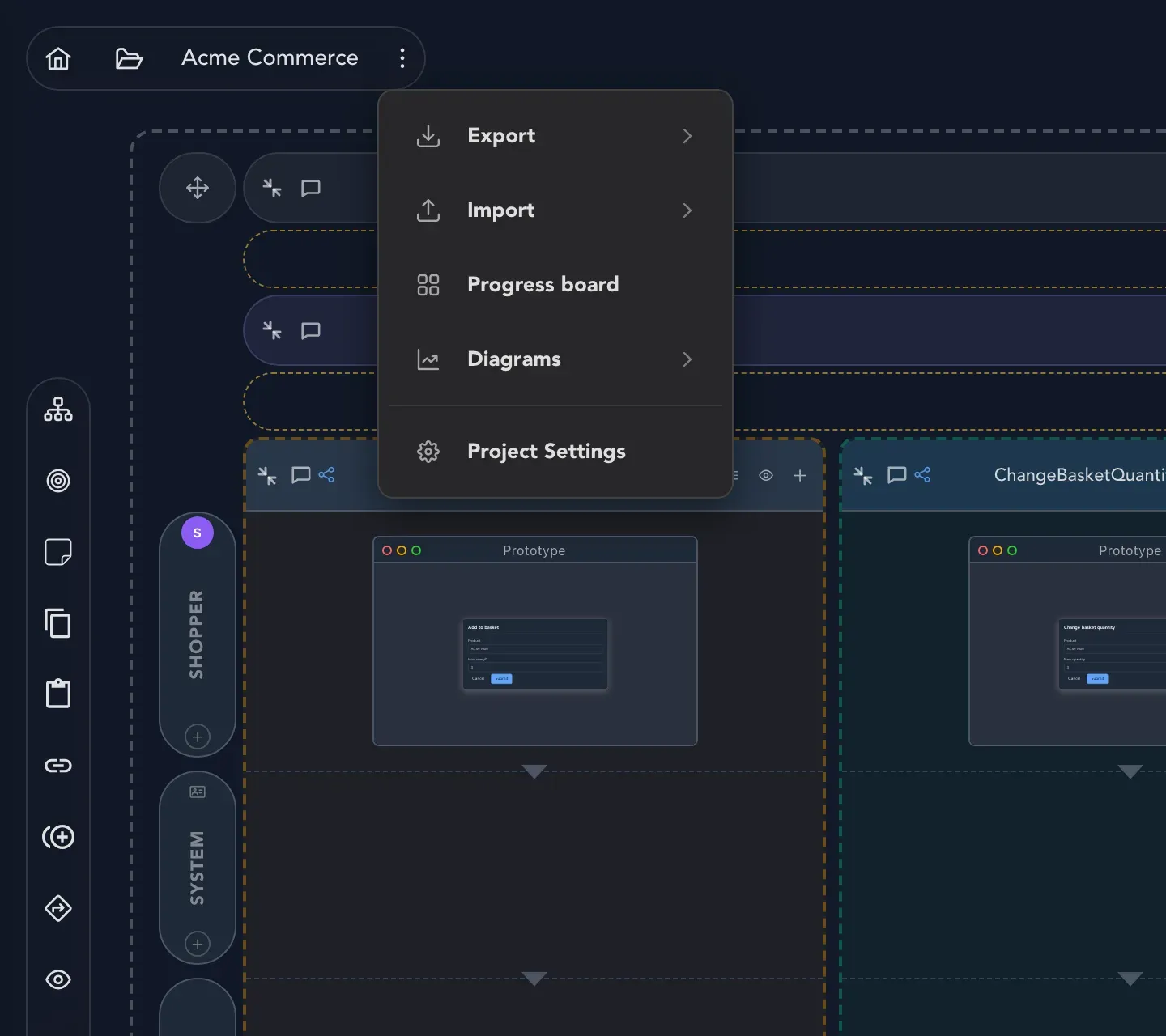
Everything on this page starts in the same place: Project options at the top left of the board. Its Export submenu holds the ways to send a model out of Studio, and its Import submenu, covered in Import a model, brings one in.
What you can do here
Section titled “What you can do here” Share a read-only snapshot link Let anyone see the board as it is now, without signing in.
Export the model Download a Screenplay file or folder, a Mermaid diagram or Event Modeling JSON.
Draw a board on Miro Put the model on a Miro board, a frame per slice.
Show a model anywhere with the Viewer Open any public Screenplay file as a read-only board.
Which one should I use?
Section titled “Which one should I use?”| You want to… | Use |
|---|---|
| Let someone look at the board right now, without an account | A snapshot link |
| Keep the model in a repository, or move it to another tool | An export |
| Run a workshop where people already use Miro | Draw on Miro |
| Put a model in a README or a blog post | The Viewer |
| Keep the model in step with a repository as you work | Git sync |
Related
Section titled “Related”- Import a model, to bring a model in
- Connect Miro, the one-time setup for Miro
- Screenplay files