

Show a model anywhere with the Viewer
The Viewer shows an event model that lives in a file. Give it the address of a public Screenplay (.play) file and it draws the model on the same board Studio uses, read-only, with pan and zoom. Nobody needs an account, so you can link to a model from a README, a blog post or an email.
Before you start
Section titled “Before you start”You need a Screenplay file, or a model made of several, at a public web address. A file in a public repository works, as does any page that serves the file’s text. Export the model to get one.
Open a file
Section titled “Open a file”- Take the address of the file, such as
https://example.com/models/shop.play. - Encode it for a web address, so that characters like
:and/are written as%3Aand%2F. - Open
https://view.cratis.studio/?url=followed by the encoded address.
For the example above that is https://view.cratis.studio/?url=https%3A%2F%2Fexample.com%2Fmodels%2Fshop.play.
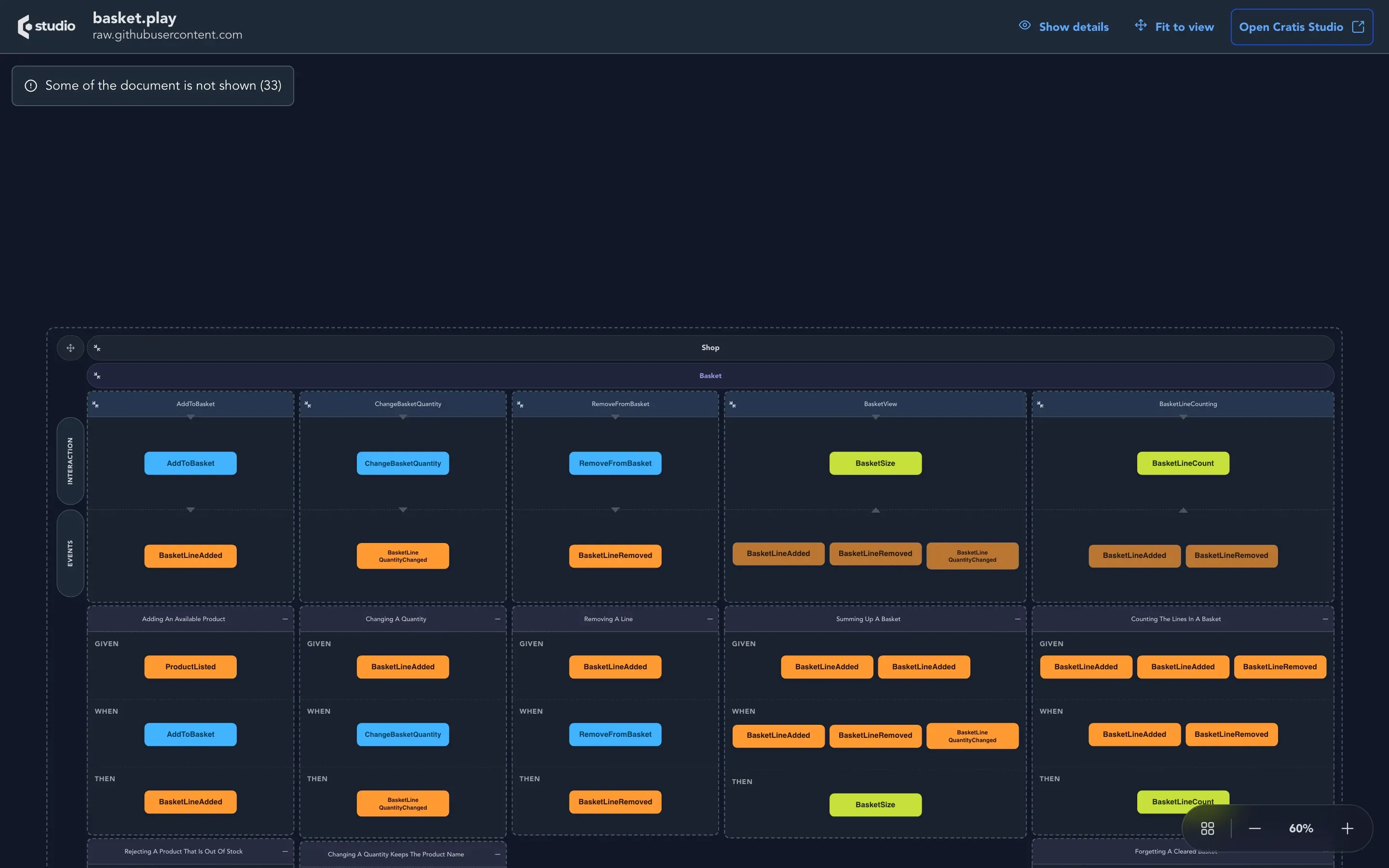
The model appears with its modules, features, slices, commands, events, read models and specifications. Pan and zoom to move around. There is nothing to click into and nothing to edit. The page shows the name of the document and the host it came from, and a link to Cratis Studio.
What it leaves out
Section titled “What it leaves out”The board cannot hold everything a Screenplay file can say. When a file has parts it cannot draw, such as policies, personas, concepts, reactors or screens, the page lists them in a collapsed list above the board, and draws the rest. In the picture above, the notice reads Some of the document is not shown with a number, 33 for that file; Show details opens the list.
If the file does not compile, the page lists the problems with the line and column of each. Fix the file and reload.
Limits
Section titled “Limits”The Viewer fetches the file for you, so it is deliberately strict about what it fetches:
- the address must be an absolute
httporhttpsaddress; - the file must be reachable from the public internet. Addresses on private networks or on a machine of its own are refused, so a file on your laptop or behind a company network does not open;
- a file can be at most 2 MB;
- a slow or unreachable address is given up on after about 10 seconds.
Check that it worked
Section titled “Check that it worked”The board appears with the name of your document above it. If instead you see a message, it names the reason: the address is not valid, the host is not allowed, the file is too large, the address could not be reached, or the file did not compile.