

Translate events between modules and applications
A translation lets one area react to another without either reaching into the other. They share only a fact. In Acme Commerce, Catalog publishes ProductPriceChanged as a public event, and Storefront and Sales bring it in. For why modules and applications stay separate, read Automations and translations.
A translation is a Translator slice. It goes one of two ways:
- An output translation sends events out to others, by publishing a public event.
- An input translation brings events in from outside.
You can change the direction later with Make this an input translation or Make this an output translation. Studio warns you about the configuration the change invalidates.
Add a translation
Section titled “Add a translation”-
In a feature header, select Add, then Add Slice.
-
Choose Translator: Translates external events into internal commands.
-
Name the slice and choose its direction.
Publish a public event (output translation)
Section titled “Publish a public event (output translation)”-
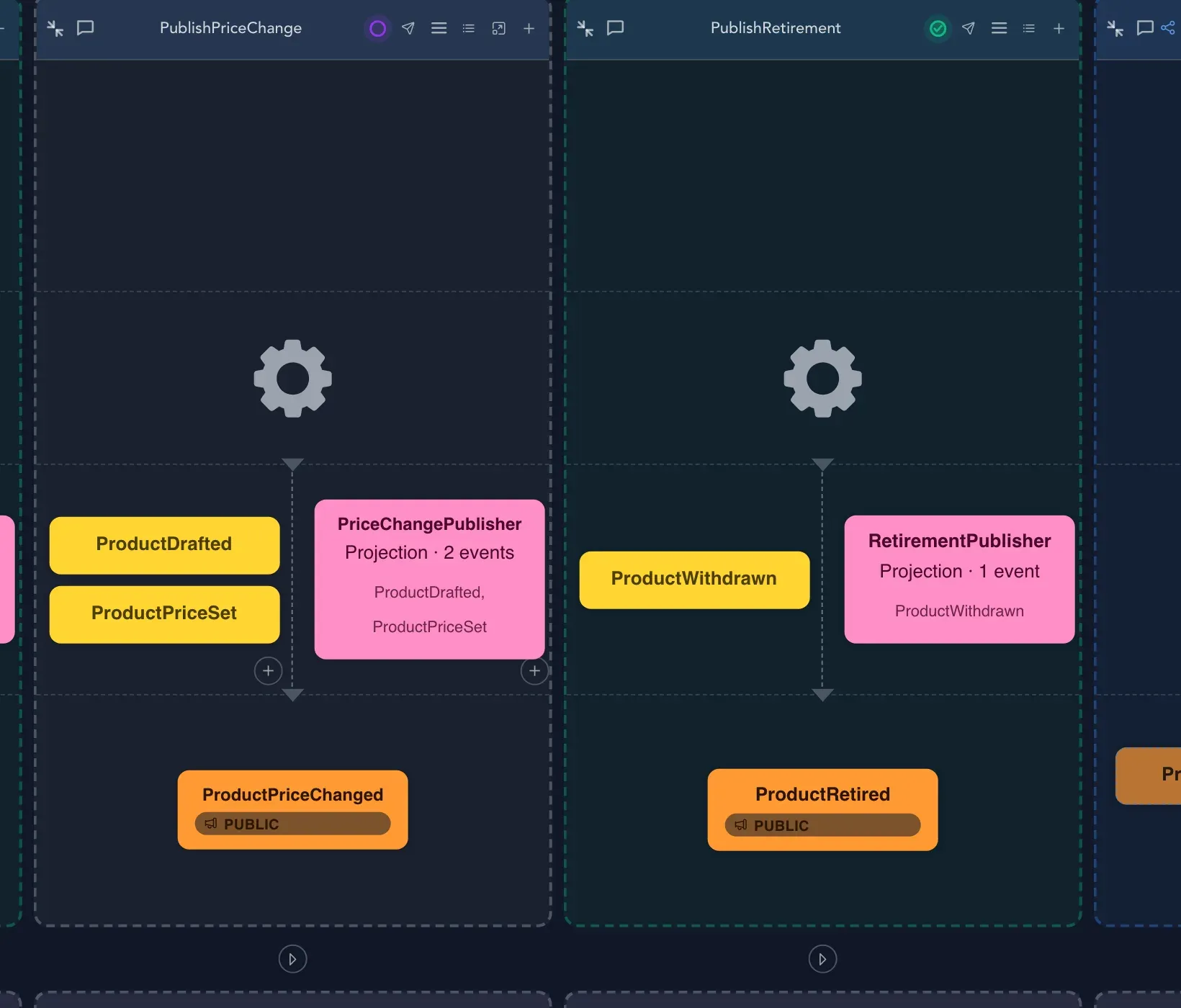
On the output translation, add the private event the application records and wants to publish.
-
Select Add projection. It maps the private event onto the public contract.
-
Choose Publish as this translation’s public event. In Acme Catalog this is how ProductPriceChanged is published. The event is now Public: the contract this application publishes.
A public event is a promise to others, so keep its properties stable. Only an output translation publishes. You can see an event’s visibility in the event editor.
Bring events in (input translation)
Section titled “Bring events in (input translation)”-
On the input translation, select Add external event to translate from.
-
Search with Search external events… and pick the public event, such as ProductPriceChanged from Acme Catalog.
-
Say what to do with it:
- Add command: a reactor carries out a command in your area. Read about commands in Commands and rules.
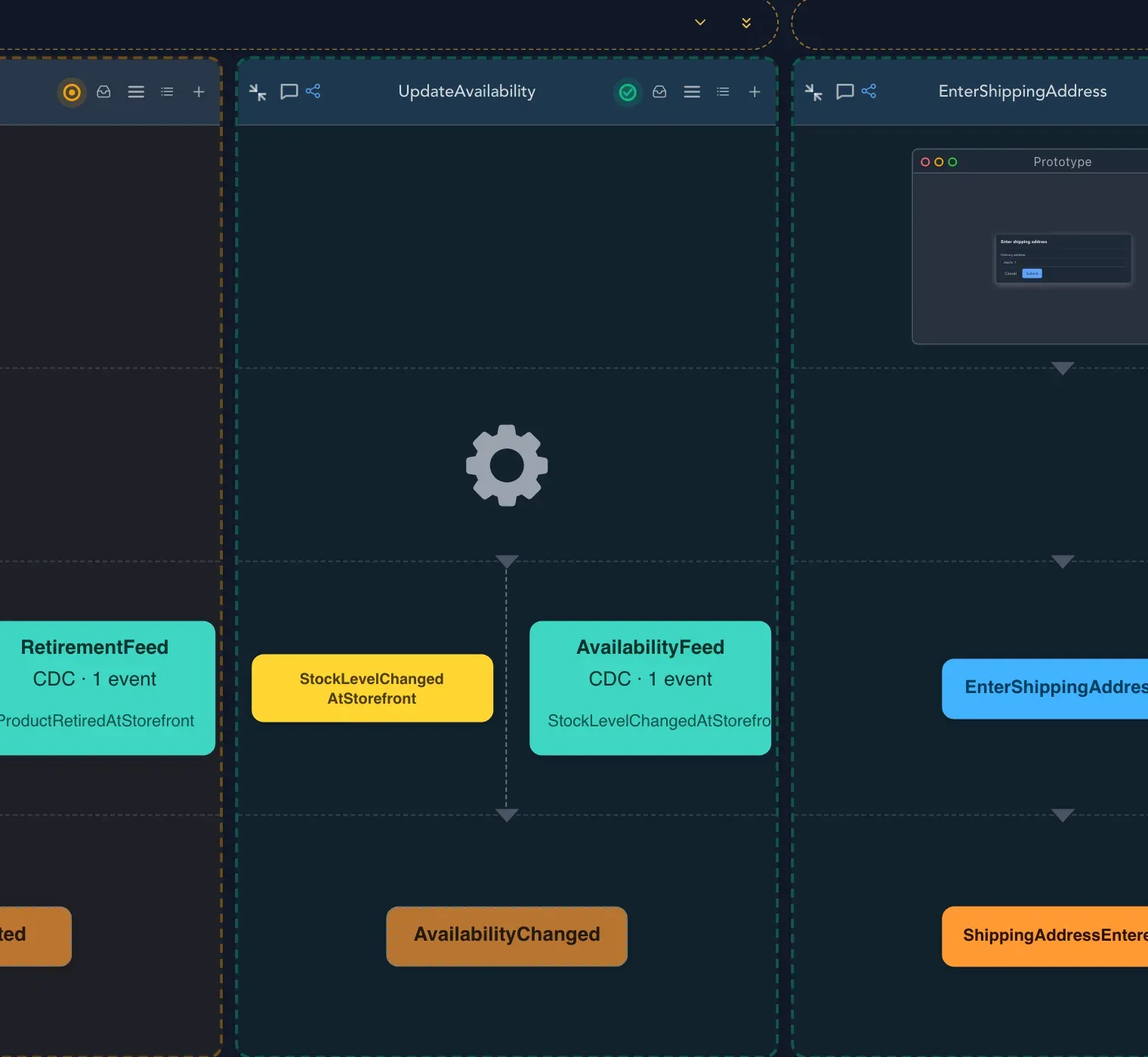
- Add CDC: capture outside data as your own facts.
Capture outside data as your own events
Section titled “Capture outside data as your own events”Besides another application’s public events, an input translation can capture records from outside, such as an API polled on a schedule, a Webhook or a message Topic. The translation editor opens from the capture or projection card. It has three columns:
- Outside: what the source delivers, in its own words.
- Captured record: your shape of it, keyed by the field that tells one record from another. Steps rename fields, build values from templates, translate values through a table or split a value.
- Our events: what the capture records, each with a when (the first time a key is seen, when fields change, and so on).
Drag an outside field onto a field of the record, and a field of the record onto an event or onto its when. Try it runs the capture on the canvas with example input, and Save as specification keeps the run on the slice, to be run again whenever the design changes.
Check that it worked
Section titled “Check that it worked”The output translation shows its public event. The input translation shows the external event and what it leads to. Open the public event in the event editor: its visibility says Public.
Related pages
Section titled “Related pages”- Automations: when the system reacts inside one area.
- Modules and features: connect two modules on the board.
- Events: visibility, tags and constraints of an event.
- Check behavior: specifications for a translation.