

Choose how slices are built
The implementation mode says how an application’s modeled behavior is turned into code once a slice is ready for implementation. Each application has its own, so one application can stay a pure model while another generates code.
The four modes
Section titled “The four modes”| Mode | What Studio does | Needs AI |
|---|---|---|
| Screenplay only | The Screenplay is the deliverable. Studio exports and maintains it and generates no code. | No |
| Static code | Stage, Cratis’s application renderer, renders the deterministic code: commands, events, read models, rules and constraints. No AI agent takes part, and a gap that needs an implementation blocks the run instead of being filled in. | No |
| Static code + AI | Stage renders the code first, then the assigned AI agent refines it within the rendered shapes. | Yes |
| AI only | The assigned AI agent implements from the Screenplay and the model’s context alone, without rendered files as a baseline. The result is not repeatable: two runs can differ. | Yes |
The two AI modes need AI to be enabled for the application and an AI provider and a code-generation agent configured for the organization. If neither is set up, Studio says so under the mode: Configure an AI provider and an agent in Settings to choose a mode that involves AI. See Your organization for setting up providers and agents.
If AI is switched off for an application that uses an AI mode, no AI agent takes part, and slices are implemented as Static code until AI is enabled again.
Choose a mode
Section titled “Choose a mode”-
Open the application’s settings: select Application Settings in the project drawer.
-
Open the Implementation tab.
-
Under Implementation mode, choose one of the four modes. Studio saves your choice at once. If the choice is greyed out, you are not allowed to change the application’s settings.
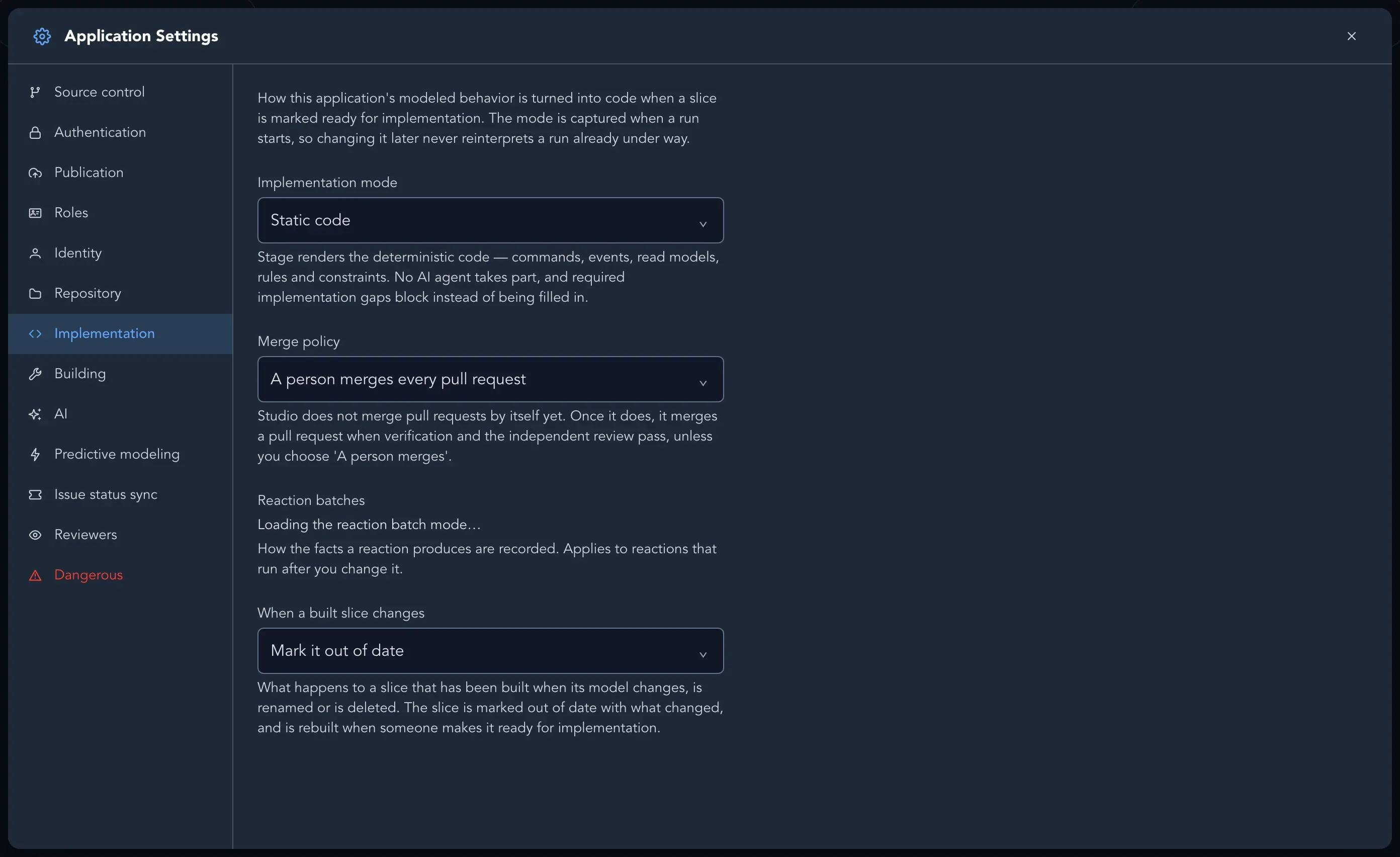
An application that has not chosen a mode yet runs in the mode Studio derives from the earlier settings of the project and application. The tab tells you when that is the case, until you choose one.
The mode is captured when a run starts. Changing it later never changes a run that is already under way.
What else is on the tab
Section titled “What else is on the tab”- Merge policy says who merges the pull request a generation produces. See Generate and review code.
- When a built slice changes says what happens to a slice that has been built when its model changes, is renamed or is deleted: Mark it out of date (the slice is marked out of date with what changed, and is rebuilt when someone makes it ready for implementation) or Rebuild it automatically (the slice is made ready for implementation again, so its builder updates what it built).
What happens next
Section titled “What happens next”When a slice is ready for implementation, you can generate code for it, or assign it and let Studio start. Whichever mode you chose, you can track progress on the Progress board.
To build with a builder on a machine you control, or with your own coding agent, see Builders.