

See what your organization uses
The Usage page shows what the work Studio did for your organization used: CPU time, memory and the tokens models consumed. It is there so you can see where the effort goes. It is for information only; no limit is applied from this page.
Open it
Section titled “Open it”Open Organization settings and select Usage.
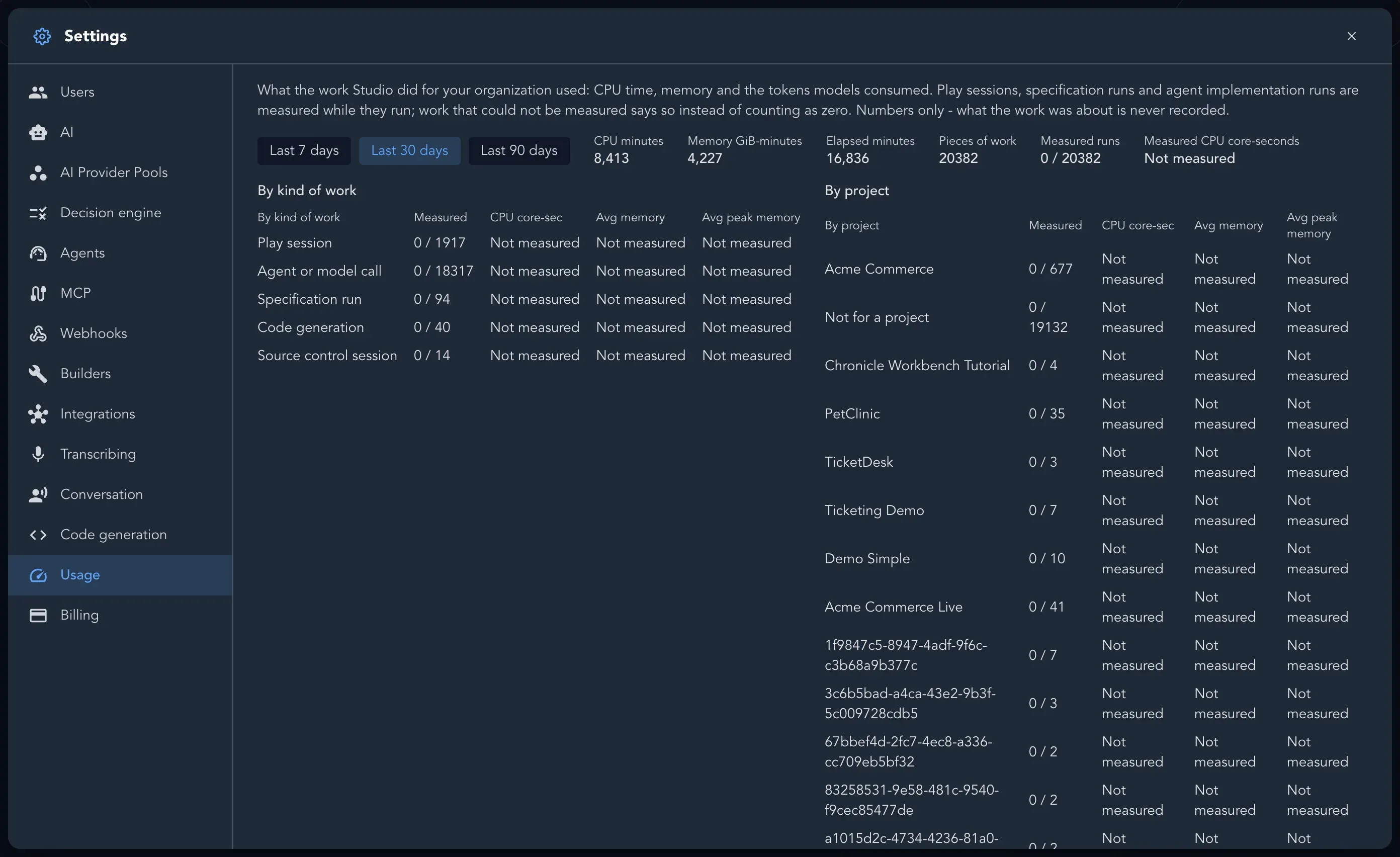
What you can read
Section titled “What you can read”- Period: the last 7, 30 or 90 days.
- Totals: CPU minutes, Memory GiB-minutes, Elapsed minutes and Pieces of work.
- By kind of work: Specification run, Play session, Code generation, Source control session, Agent or model call and Agent implementation.
- By project: the same figures for each project. Work that belongs to no project is listed as Not for a project.
Play sessions, specification runs and agent implementation runs are measured while they run. Work that could not be measured says Not measured instead of counting as zero. Only numbers are recorded; what the work was about is never recorded.