

Export the model
Export gives you the model as a file you can keep, put in a repository, hand to a colleague or open in another tool. The board is not changed by an export.
Before you start
Section titled “Before you start”Open the event model you want to export. Export works on the open event model.
Export a model
Section titled “Export a model”-
Select Project options at the top left, then Export.
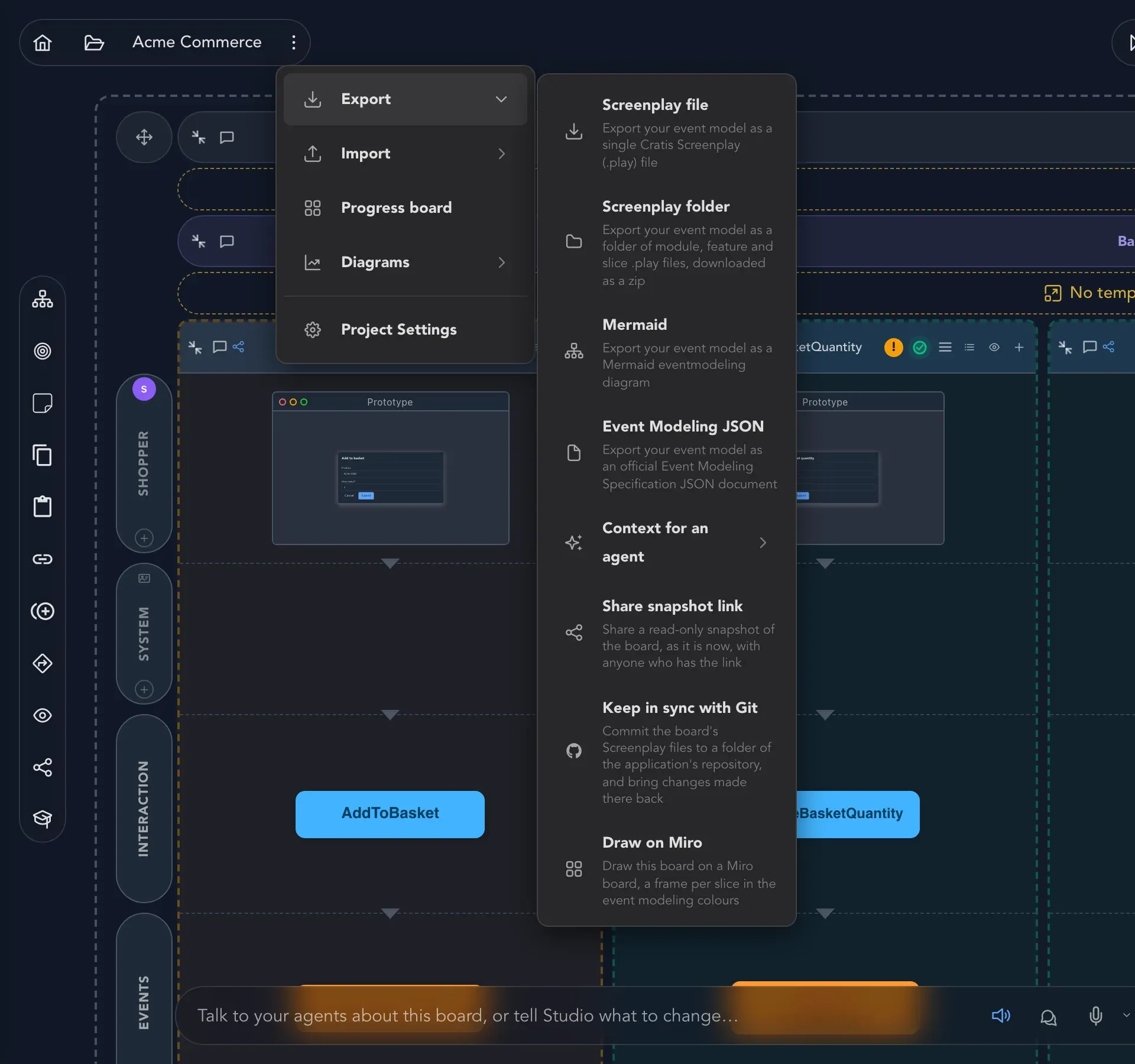
The Export submenu lists every format Studio can write. -
Choose a format from the table below.
-
Your browser downloads the file. A notice says Export ready, or Export ready - some of the model could not be carried when the file leaves something out.
| Choice | What you get | Use it for |
|---|---|---|
| Screenplay file | One Cratis Screenplay (.play) file for the whole event model. |
Handing the model to a person or a tool in one piece. |
| Screenplay folder | A ZIP of .play files, one for each module, feature and slice, laid out as folders. |
Keeping the model in a repository: small files give small differences and sensible merges. |
| Mermaid | A Mermaid event modeling diagram, as text. | Putting a picture of the model in a README or a wiki that renders Mermaid. |
| Event Modeling JSON | A document in the official Event Modeling Specification format. | Moving the model to another event modeling tool. |
Screenplay is the text format that describes a model. The Screenplay files page shows what is inside and how it round-trips with a repository. To read a file back into a board, see Import a model.
Export only a feature or a module
Section titled “Export only a feature or a module”For Mermaid you can narrow down. Open the options of a module or a feature on the board and choose Export module to Mermaid or Export feature to Mermaid.
Read what the export could not carry
Section titled “Read what the export could not carry”A model on the board can hold more than a file format can express. Studio tells you when that happens, in the Export ready - some of the model could not be carried notice and in the file’s diagnostics. Read them before you treat a file as a complete copy.
Typical causes you may meet:
- two specifications in one slice whose names are the same once generated: rename one, then export again (see names);
- a redelivery in a specification that cannot be pinned to one given event;
- a rule on a concept that can never hold: the concept is left out and the rest still exports.
Diagrams are not exports
Section titled “Diagrams are not exports”Project options also has Diagrams, which draws the model as a UML state diagram, UML activity diagram, UML sequence diagram or Entity data model on screen.
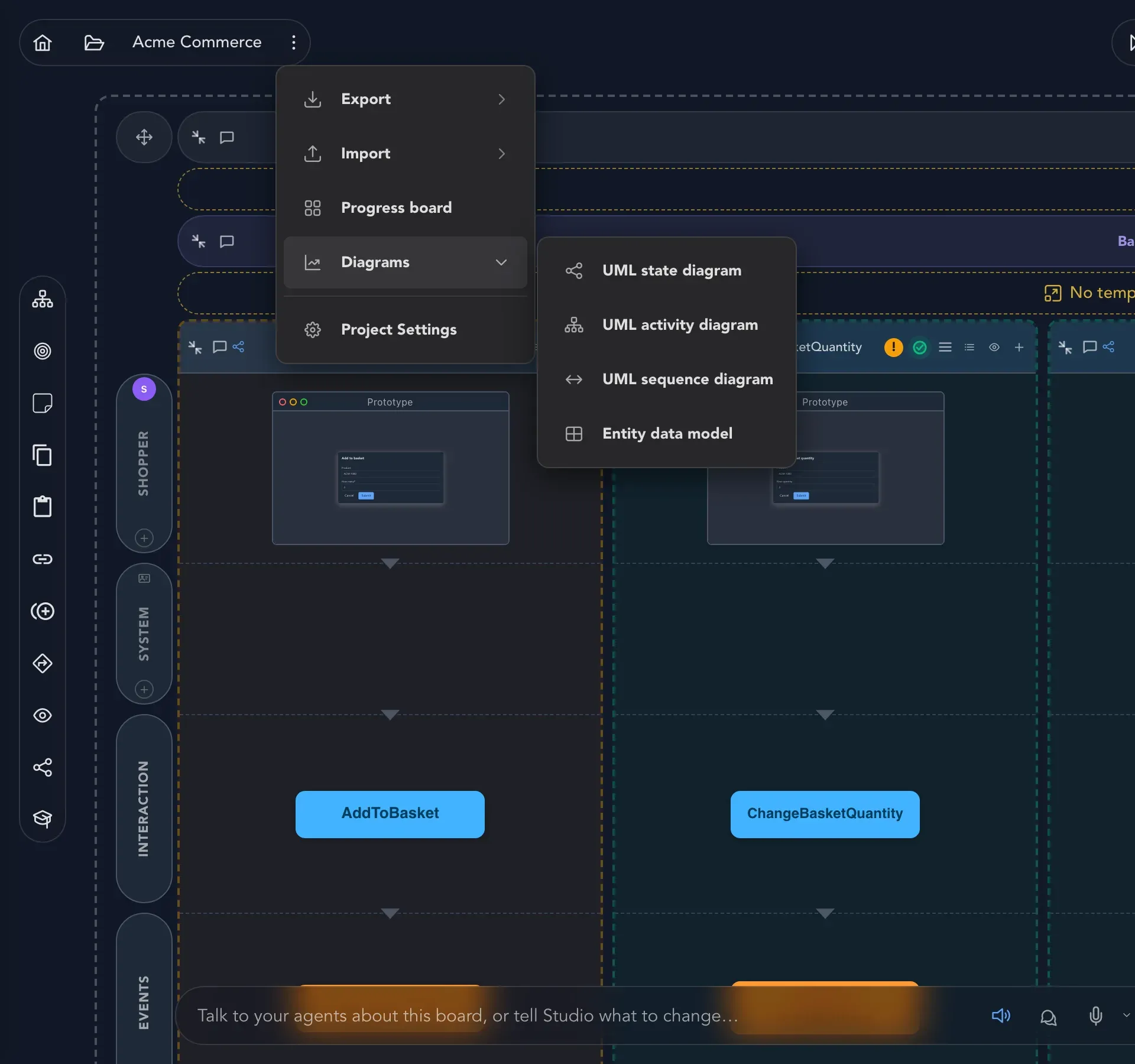
They are for looking at, and they follow the model as it changes. See Context map and diagrams.
More ways to hand a model over
Section titled “More ways to hand a model over”The Export submenu has more than files:
- Share snapshot link gives someone a read-only view with no sign-in. See Share a read-only snapshot link.
- Draw on Miro draws the board on a Miro board. See Draw a board on Miro.
- Context for an agent hands part of the model to an AI coding agent. See Work with AI.
Check that it worked
Section titled “Check that it worked”Open the downloaded file. A Screenplay file is plain text, and a folder export unzips into folders that mirror the board’s modules, features and slices. If you want to be sure it is whole, import it into an empty project and compare.